Compromised Microsoft 365 Mailboxes Spread QR-Code Phishing
Talos tied QR-code PDFs to credential theft, inbox-rule changes, SharePoint staging and new phishing sent from compromised Microsoft 365 mailboxes.
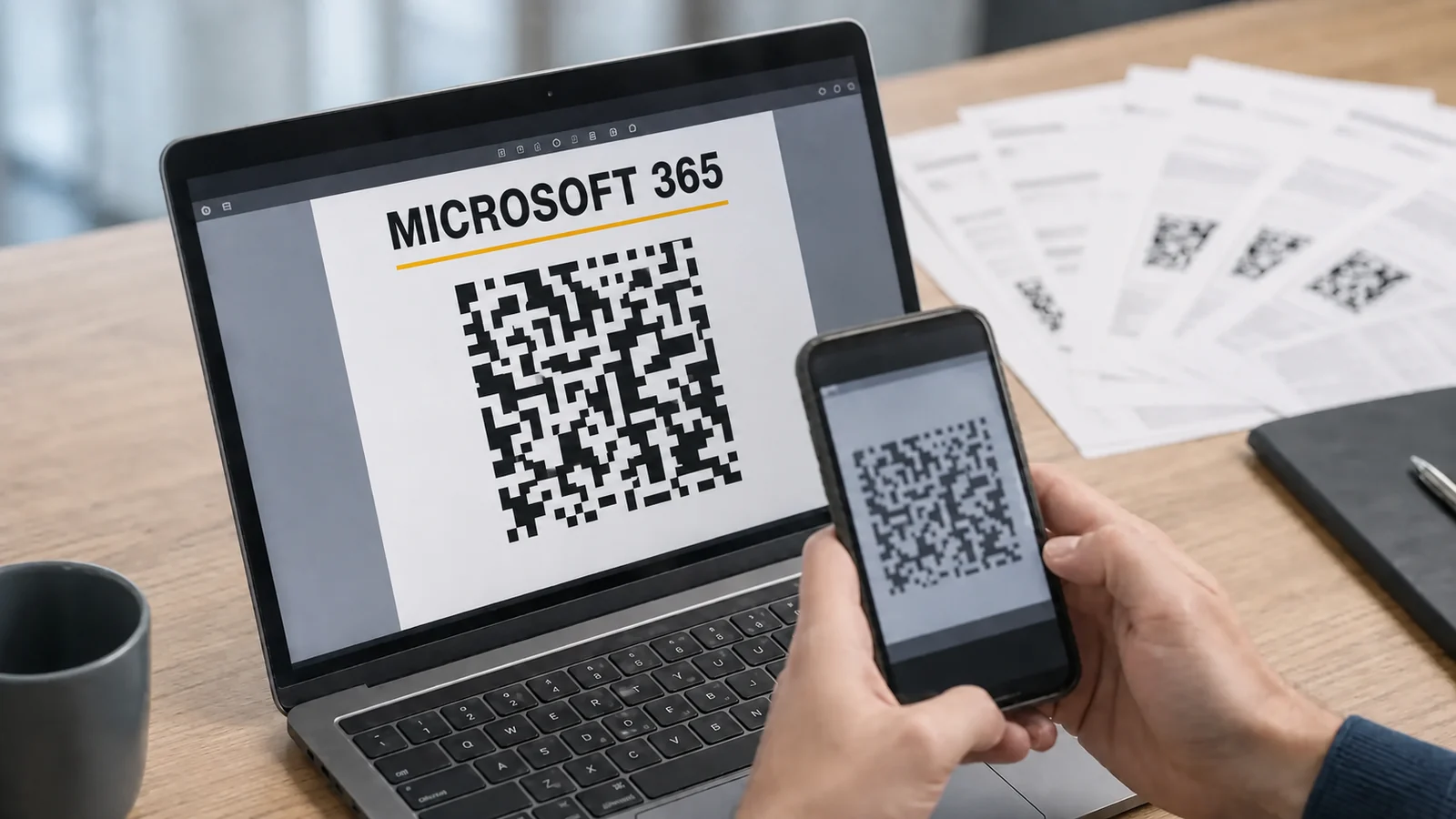
Cisco Talos says a phishing operation it tracks as UAT-11764 has been using compromised Microsoft 365 accounts to send tailored PDF attachments with embedded QR codes. The campaign primarily targeted Australian organizations from April through at least late June 2026.
Once an account is compromised, its mailbox helps drive the next wave. Talos observed the actor harvesting Microsoft 365 credentials, signing in to the victim’s mailbox, creating inbox rules, staging malicious documents in SharePoint and sending more phishing messages to internal and external contacts. Each captured mailbox can supply a trusted sender identity, new recipients and Microsoft-hosted delivery infrastructure.
A PDF moves the link away from the mail client
UAT-11764 sends auto-generated PDFs tailored to the recipient. The attachment contains a QR code that points to an actor-controlled Microsoft 365 credential-harvesting page.
The QR code hides the destination URL inside the attachment. When a recipient scans it with a phone, browsing shifts away from the mail client and may also leave the controls that evaluated the original message. Talos says the actor uses compromised Microsoft 365 accounts and SharePoint, placing familiar sender and hosting signals around an adversary-controlled destination.
Talos attributes the operation to UAT-11764 with high confidence and assesses that the campaign will continue. Those are Talos assessments. Its public report does not identify the affected organizations or provide a total victim count.
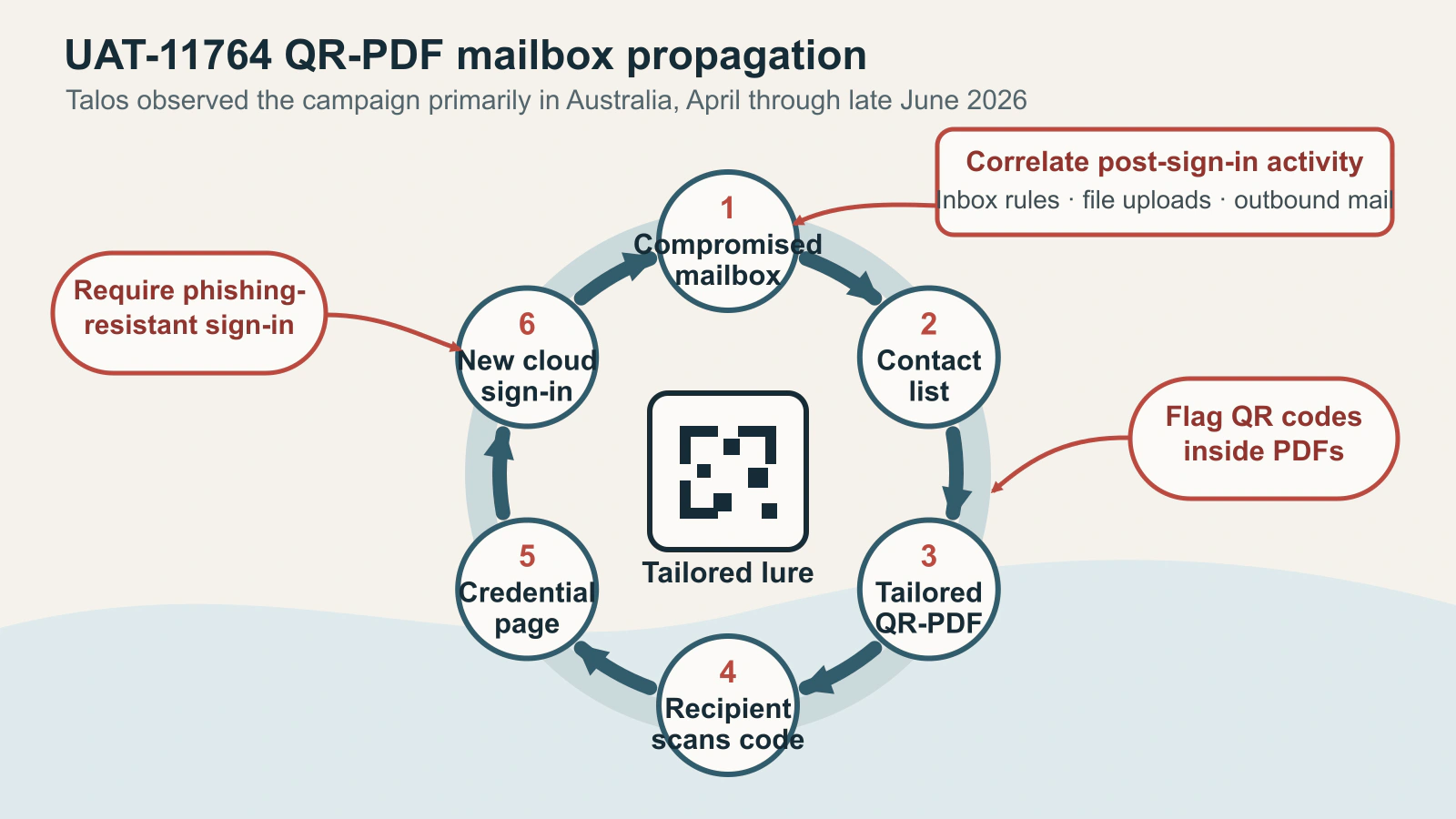
Figure details
The cycle begins with an attacker-controlled Microsoft 365 mailbox. The actor uses its contacts to send tailored PDFs containing QR-code lures. A recipient scans the code and reaches an actor-controlled credential page. Captured credentials allow another Microsoft 365 sign-in, returning the cycle to a compromised mailbox. The figure marks three defensive breakpoints: flag QR codes inside PDFs, require phishing-resistant sign-in, and correlate inbox-rule changes, file uploads and outbound mail after sign-in.
The mailbox becomes both a target and a delivery asset
The actor’s post-compromise actions support persistence and propagation. Inbox rules can hide replies or security notifications. SharePoint can host the next malicious document on infrastructure recipients already associate with work. Access to the mailbox contact list gives the actor a set of relationships that can make the following messages more plausible.
The incident lives in the cloud identity and collaboration layer. A responder who resets the password but leaves active sessions, attacker-created rules or staged SharePoint files in place has addressed only part of the observed chain.
Talos saw the same identity problem across its second-quarter caseload. Authentication abuse appeared in 65 percent of its incident-response engagements, up from 35 percent in the previous quarter. Phishing accounted for more than half of engagements where Talos could determine initial access. These percentages describe Talos’s caseload, whose size the article does not disclose, so they should not be treated as population-wide prevalence.
Put controls on both sides of the sign-in
Start with the attachment. Talos recommends blocking or flagging emails with QR codes inside PDF attachments. Send a benign PDF whose QR code points to a controlled test page through each normal inbound path. Confirm that the message is blocked, quarantined or clearly labeled according to policy, including when it arrives from an internal mailbox.
Protect the sign-in next. Talos recommends phishing-resistant MFA. Microsoft’s passkey deployment guidance covers enabling FIDO2 security keys and passkeys for selected Entra groups. Apply the built-in phishing-resistant authentication strength with Conditional Access to the required resources. Stage the policy with test users, then verify that access cannot continue until the user completes an allowed phishing-resistant method.
After sign-in, watch for the actions Talos observed following compromise. The Microsoft 365 audit activity reference identifies New-InboxRule, Set-InboxRule and UpdateInboxRules for mailbox-rule changes, FileUploaded for SharePoint uploads and Send for outbound mail. Alert when these events cluster around a risky sign-in, a newly seen device or an unusual burst of recipients. Each operation also has legitimate uses, so the surrounding sequence supplies the useful signal.
Outbound controls can limit the next wave. Exchange Online outbound spam policies can set hourly internal and external recipient limits, a daily recipient limit and an action when a user crosses a threshold. Talos reported one separate engagement in which a compromised mailbox sent more than 6,600 phishing and spam messages. Set limits against normal sender behavior, route threshold alerts to a monitored queue and test that a restricted test account cannot continue sending.
Investigate Mailbox Rules and Outbound Phishing
For a suspected UAT-11764-style compromise, start with the mailbox and expand outward:
- Revoke active sessions and reset the affected credentials.
- Review authentication records for unfamiliar devices, locations and token activity.
- Search
New-InboxRule,Set-InboxRuleandUpdateInboxRules, then inspect the resulting rule conditions and destinations. - Review
FileUploadedactivity and recent sharing changes in SharePoint and OneDrive. - Identify internal and external recipients contacted after the first suspicious sign-in.
- Remove staged lures only after preserving the audit evidence needed to find downstream recipients.
The stopping point is concrete: the account is secured with a phishing-resistant method, active sessions have been revoked, unauthorized rules and staged files are removed, outbound propagation is contained, and every recipient of the compromised mailbox’s suspicious messages has been checked for the same sign-in and post-compromise sequence.